twitter
    Planting ideas one bean at a time!
Showing posts with label smart. Show all posts

Building Community One Piece at a Time!

Welcome back to school! Many of you are starting off the first week of school discussing classroom rules and building a sense of community in your classroom. Help your students visually see that they are a part of their classroom community by creating a digital puzzle of your class. Use your SMARTBoard to have students manipulate the puzzle pieces!

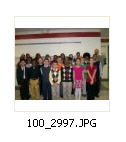
First, take a digital picture of your entire class.


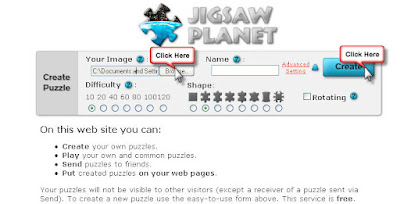
Second, go to http://www.jigsawplanet.com/ and click Browse to upload the photo (no larger than 2048 x 2048 pixels*) . Select the number of pieces and shapes. Then click Create!

If you get a message telling you that the file size is too big scroll down to the highlighted section  of this post to find out how to make the image smaller. Once you have made it smaller continue with step 2.


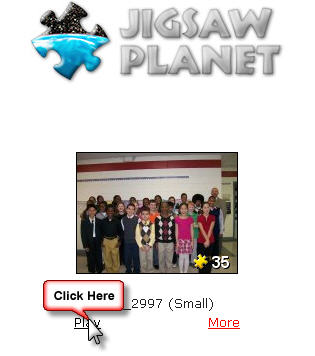
Third, click Play.


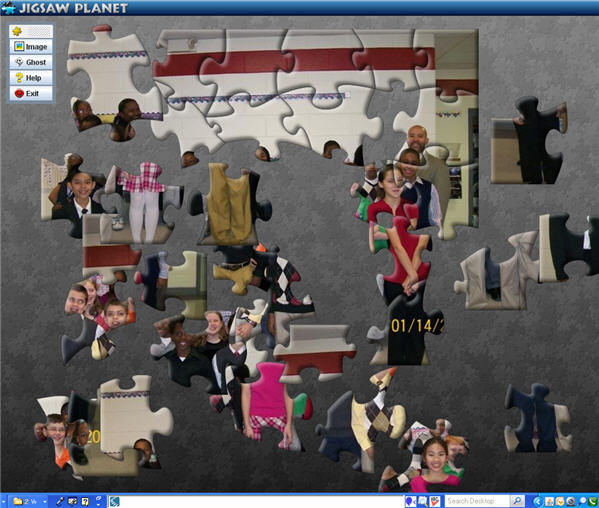
Have students take turns coming up to the SMARTBoard and dragging and dropping the puzzle pieces. Remember to discuss that each piece is a valuable part of the entire classroom community!


What if I get an error message stating that my picture is too big, what do I do?

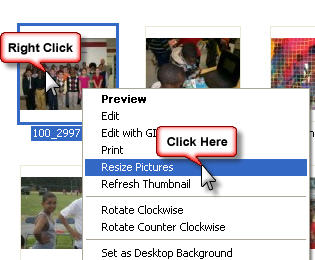
Right click on the picture. Select Resize Pictures.


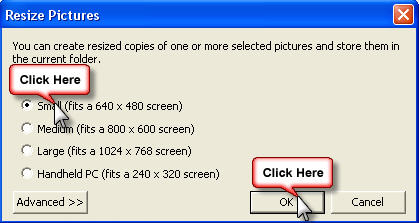
Select "Small" and click OK.


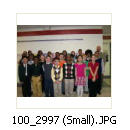
The image now appears in the same folder, but the image name has (Small) in the title. Now upload that image.
SMART Stocking Stuffers!

Now that you have your SMARTBoard in your classroom, you need some stocking stuffers to go with them.  Check out Forty-Two Interesting Ways to Use Your Interactive Whiteboard in the Classroom, compliments of Tom Barrett.


SMARTNotebook and SMARTBoard Two-Minute Tutorials! Click the link http://www.sharetabs.com/?smarttutorials to access the SMARTBoard ShareTabs. The videos will appear as tabs at the top of your window. Click on the tab and push play.

Who Says There's No Such Thing as Santa?

I get to play Santa today and pass out the new SMARTBoard pens and projector remote controls. All of the classrooms at Riverside Elementary are officially outfitted with new SMARTBoards, SMARTSpeakers, and ceiling mounted projectors! The teachers and students have been waiting so patiently to start using them!


Our school will be open to the community November 17, 2009 from 11:00 a.m.-3:00 p.m. in celebration of American Education Week. Join us for our Smart, Safe Schools Expo that day! You will see many of our students and teachers using the new SMART tools in their classrooms.

Who Got a Face Lift? SMART Exchange!

Ten days ago SMART launched their new and improved SMART Exchange website. You are going to love the upgrades!  Bookmark this site now! In minutes you can search their database for SMARTNotebooks.  The preview interface is unbelievable, so you can quickly get a sneak peak of each page in the notebook file.  You'll even have the option to download individual questions from SMART-Created Senteo files instead of the entire Senteo file. Need clip art for a SMARTNotebook?  You can also download clip art.  They have pumped up the functionality of the website...watch the video below for all of the new enhancements!
Related Posts with Thumbnails